Showing posts with label Web Tools. Show all posts

[Google Books Download Free] How to download google books?

How can we download Google Books for Free?

In this article, we are going to guide our readers step by step so that they can download Google Books for Free.

But before that, let us describe what is Google Books.

What is Google Books?

Google offers a great repository of e-books via Google Books app. To open a Google Book, you can either use Google Books search engine owned by Google (Alphabet Inc.) or you can also use Google Play Books store. Both services let you save copies of e-books available on Google Books so that you can read them offline.


how-to-crack-google-books
How to download Google Books for Free? (Source: Google Books)

Google Books was earlier known as Google Book Search, Google Print etc. It started in the company Google (now Alphabet Inc.) by its code-name Project Ocean. Now, it is a well known service from Alphabet Inc. that searches the full text of books and magazines that Google has scanned, converted to text using optical character recognition (OCR), and stored in Google's digital database.

Books are provided either by publishers and authors through Google's program offering "Google Books Partner Program". Some books are also added by Google's library partners through another project known as "The Library Project". Additionally, Google has also partnered with a number of magazine publishers to digitize their books and magazines.

Now let us go through how to download books from Google Books.

Can You Download Any Title on Google Books for Free?

The very simple answer to this questions is - NO.

No, you cannot straight forward download Google Books for free. However, there are some tools and tricks available over Internet which claim to download Google Books for free.

Google Books allows users to preview some of the full pages from books in which the search terms appear if the book has no copyright registered. Or even if the book owner has given permission to Google to crawl the book for their search engine.

Google has categorized all he books in Google Books into these access levels:

Google Books Full view:

Books in this category are considered available for Public, and hence can be viewed or download fully. If some book is published by author or its owner and he has given permission for full view category to Google, then everyone can view or read or download this book.

how-to-crack-google-books
Google Books - Read For Free


Google Books Preview:

For this category, the book author or publisher can set the percentage of the book available for preview. Users cannot copy or download or print such book previews. A watermark is displayed in these books stating "Copyrighted material" at the center or the bottom of several pages. Mostly all the books Google Books get from their Partner Program are available under this category.

Google Books Snippet view:

In this category, two to three lines of text surrounding the search query are displayed in cases where Google does not have permission of the copyright owner to display a preview. As per Google's policy,  any permission is not required as per the copyright law in order to show the snippet view for these books.

Google Books No preview:

Google also displays search results for books that are yet to be digitized. These are the books that have not been scanned yet, the text written in these books is not available with Google. Google only has the metadata,such as Book name, Book author, Book publisher, pages, ISBN and other information.

If you are looking for any specific book, you can try out Google Books Advanced Search feature - https://books.google.com/advanced_book_search?hl=en

How to Download Books From Google Books?

So, how can one download the books from Google Books that are in the Full View category? You can download your e-book so you can read it anywhere, even when you don't have an internet connection.

Download Google Books on Windows/Mac/Linux

  1. On your computer, navigate to your Google Books Library section.
  2. Select any of the available books you wish to download.
  3. Navigate to context menu by selecting 'More' option and then select 'Export'.
  4. You can select any of the options - 'Export as EPUB' or 'Export as PDF'.
  5. EPUB file can be opened with Digital readers like ebook reader.
  6. PDF file can be opened with by of the browser of Adobe Acrobat Reader.

Download Google Books on Android devices

  1. In order to download Google Books on Android device, you need to download Google Play Books app from Play Store.
  2. Downloading the book on Android is simple - just tap the book you want to download.
  3. You can also tap More More and then Download option to make the book available offline.
  4. Once the book is available offline, a Downloaded icon will be displayed in the Notifications section.

Download Google Books on Apple devices

  1. Since Apple devices to do not support Google Play Books app, you need to open play.google.com/store/books on your browser.
  2. Sign in with your Google account here, where you have the books.
  3. Now, just tap on the book you want to download.

Hope you liked this article, please share it with your friends.

{Sarahah} How do I find out who sent me a message on Sarahah.com?

What is Sarahah App?

“Sarahah helps people self-develop by receiving constructive anonymous feedback.” reads the apps description on Google Play Store. Interestingly, Sarahah means ‘honesty’ in Arabic, though this honesty is delivered anonymously. The app is available in English as well as Arabic for iOS and Android users.

How does Sarahah App works?

Sarahah App can be used to fool your friends, confess something to someone and then share those feedback on Social media platforms.. If you're an Android user, you can get the Sarahah App on Google Play Store, iOS users can download Sarahah App from App Store. On installing the Sarahah App, you now need to register with email ID, password, and username. After creating an account with the Sarahah app, you can directly share the link to your Sarahah profile with Facebook, Twitter, or any other social media platform, so that your friends can submit the feedback on your profile. When your friends submit the feedback, all you'll need to do is get to see the message sent by your friends. There'll be no name, no information about the sender anywhere in the App or the Message. Similarly, you can also send messages to your friends. You can only receive the message and can't reply to in anyway. However, it seems Sarahah App will get that feature soon, as the websites state, "You can't respond to messages now. We are studying this option."

How do I find out who sent me a message on Sarahah.com?

So, now the question is.. How do I find out who sent me a message on Sarahah.com? The Answer right now is 'NO!', but you can try something else.

There is a sneaky trick you could use to find out what your friends really think of you while still knowing who they are on Sarahah App. This is not a method to find out the identity of someone who had recently sent you a message. This is a slightly twisted alternative to find out what a particular someone thinks of you. For this, we’ll create multiple Sarahah profiles, one for each person whose honest feedback we want to know. Instead of posting this link on FB or other public social platforms, we’ll be sending one particular profile link to only one person.

Create a new Sarahah account at sarahah.com. Enter a fake email address for registration purposes.
Sarahah does not confirm email addresses.
Enter a unique username. If your name is James Walker, try a username that goes like this ‘jameswalker001’. So your unique Sarahah profile link would be jameswalker001.sarahah.com

How do I find out who sent me a message on Sarahah.com?
Although the Photo is option, but you can upload it to make the account more credible. Now, send this profile link to one particular friend, just one friend.. over E-mail/Messenger/WhatsApp/SMS or whatever means with a note that reads, "Hi friends, would love to know what you’ve got to say about me. Message me on Sarahah at jameswalker001.sarahah.com." This friend will think you’re broadcasting the message (and the link) to all your friends, when, in fact, he/she is the only person receiving the link. When you have received a message on that particular account, you would know how that friend truly feels about you.

To find out what another friend has to say about you, create another account with a fake email. Enter a different username, like jameswalker002.sarahah.com Send your profile link with the same message as the previous one. This way, you can find out exactly what all of your closest friends think of you. You can log in to any of these accounts using your username and password every time. You could use the same password on all of these accounts. You could use a sequence of numbers after your username to make it unique and maintain a good order.

What the DMCA is and how it affects the Internet ?

DMCA stands for Digital Millennium Contract Act which is a law passed by United States in 1998 in an attempt to modernize copyright law to deal with the World Wide Web. The  Digital Millennium Contract Act (DMCA) has a large number of provisions, but here we shall be focusing on the ones that are affecting the Internet we are having today.


Safe Harbor & Takedown Notices by DMCA :

The Digital Millennium Contract Act (DMCA)extends a safe harbor to service providers defined as a provider of online services or network access, or the operator of facilities therefore. Let us take an example, if one uploads a copyrighted video to YouTube.com or posts a copyrighted article on Tumblr.com or places a copyrighted file on Dropbox and shares the link to the same publicly, or just hosts a copyright-infringing website with any web hosting provider, the provider of the service — YouTube, Tumblr, Dropbox, or the web host is exempt from liability. Hence, we can say that, the DMCA provides protections to the websites like YouTube.com, in a way to prevent them from being sued just because they are hosting copyrighted content which is being uploaded by a user to them.
To actually be eligible for this exemption, the service provider must meet a some conditions.it.
Anyone can file a DMCA takedown notice, which is an official notice to a service provider by DMCA. The notice identifies content being hosted by a service and states that they are violating the Digital Millennium Contract Act (DMCA).
If your content is taken down due to a Digital Millennium Contract Act notice, the online-service provider will alert you to this after taking down the content from your website. In cases where a DMCA notice is filed against your content, you have the ability to file a counter-notice too. This counter notice is a notice sent to the Service provider where it is stated that a mistake was made and there is no copyrighted content. If the person who has filed the takedown notice takes no further action (e.g. requesting an injunction in the court), then the article/content taken down can be restored after ten business days.
It should be noted that the Digital Millennium Contract Act (DMCA) is a law made by United States along with some online service providers located in other countries and is under no obligation to honor such takedown notices.

How to extract text from an image file and convert it into an editable text document ?

If you need the text from an image you do not want to type in the whole text, then here is a free tool for you. OCR software enables you to extract text from an image and convert it into an editable text document.

Free-OCR.com is a free online OCR (Optical Character Recognition) tool. You can use this free service to extract text from any image.


This online tool is free of cost, even no registration is necessary. This tool also do not need your email address.
All you need to do is just upload your image files. Free-OCR takes either a JPG, GIF, TIFF BMP or PDF file.
This tool does not accepts the images larger than 2MB, no wider or higher than 5000 pixels.
Also, there is a limit of 10 image uploads per hour.

After uploading the image file, Type the reCAPTCHA and click on Send file button. After uploading, you will be promoted to a page showing all the text contained in your image.
Free-OCR can process images with multi-column text and it also supports more languages - Bulgarian, Czech, Danish, Dutch, English, Finnish, French, German, Greek, Catalan, Hungarian, Indonesian, Latvian, Norwegian, Italian, Lithuanian, Polish, Portuguese, Romanian, Serbian, Slovak, Slovene, Russian, Spanish, Swedish, Tagalog, Turkish, Ukrainian and Vietnamese.

How to look-up any domain name registration records ?

If you want to check the registration records of any domain name, then here is something good for you.

Whois Lookup is a response as well as query protocol that can be used for querying databases that store the information about the registered users of an Internet resource, such as a domain name, an IP address block, or an autonomous system.

whois.com provides an application i.e. whois lookup, which enables anyone to lookup for the registration records of any domain name in a human readable format.
You can check for the registration records of any domain name by just entering the url of the domain (e.g. google.com).

Go to www.whois.com or www.whois.com/whois and enter the domain name here.
Click on Whois Lookup button, and you will be promoted to a page, where you can see all the information about the domain name's registry as well as domain name registrar.

On Whois Lookup, you can get the following information about the domain name.

Domain Name Registry Details:
1. Domain Name
2. Registrar Name
3. Whois Server Name
4. Referral URL
5. Name Servers and Status
6. Updated Date
7. Creation Date
8. Expiration Date

Domain Name Registrar Details:
1. Registrar URL
2. Updated Date
3. Creation Date
4. Registrar Expiration Date
5. Registrar Name
6. Registrant Name and Address
7. Admin Name and Address
8. Tech Name and Address
9. Name Servers

How to trace any Mobile number ?

If any unknown phone number is disturbing you, and you want to search for its location, then this post may help you.
tracephonenumber.in is a website from where you are able to find the network operator as well as the circle from where the number was assigned initially.
TRAI (Telecom Regulatory Authority of India) has assigned the number series to list of available network operators and circles allover the country. Previously, this number series used to be of four digits but after running shortage of the series codes, TRAI has now introduced a new five digit series for the networks allover the country.
Mobile Tracing has become much more complex after the landline number series and mobile number series sharing started. Let us take an example, Delhi’s STD number is ’0129′ and there are also some mobile numbers which starts with ’0129---------’. Hence, You may also use this online tool to find out that whether the entered number is a mobile number or a land-line number.
Tracing current location of a mobile number or mobile phone is not a easy thing but it is a possible task. The complexity lies in accessing the mobile signal information, currently running operator server details etc. Public can not access this information as this thing is totally restricted to the public and illegal. But with the help of police, cyber cell or any other investigation agencies one can easily trace and current location of a mobile phone.
For common people, other than police or investigation agencies, it is a very tough task to trace the current location of a mobile number and is possible only when the mobile call is active and the other person on the call is co-operative. This can be done by receiving data elements other than the voice information on our phone. Hack tools can analyse the signal and data information and can find out the tower information of other end of the mobile phone. This is not as simple as said but is very tricky.
tracephonenumber.in is a online website which will help you to trace any mobile phone number, no matter you belong to which state. You do not have to download any hack tool, or have to go to police or cyber cell.


Just enter the mobile number or landline number you want to trace and click on the Trace button. In a short time, you will get all the details about the entered number. Here, you will also get information about the SIM service provider.

How to scan URLs and files online ?


VirusTotal, is a product of Google Inc. It is a free online service that analyzes files as well as URLs enabling the identification of viruses, worms, Trojans as well as all other kinds of malicious content detected by antivirus programs and other type of scanners.
Also, VirusTotal may be used to detect false positives, i.e. innocuous resources which are detected as malicious by one or more scanners. VirusTotal’s mission is to help in improving the antivirus, anti-malware as well as security industry and make the internet a safer place for the development services.
VirusTotal's main characteristics are highlighted below »

It is a free unbiased service.

It is a real time global service

It runs multiple antivirus engines.

It also runs Website scanners.

It also features multiple file and URL characterization tools.

It has a real-time updates of virus signatures as well as blacklists.

It gives a detailed results from each scanner.

VirusTotal is also having its own Online malware research community

It also provides Desktop applications for interacting with the service

Visit Virustotal wesite » http://www.VirusTotal.com

How to download torrents with IDM ?


If your Internet connection is slow and every time you download any torrent, it takes a lot of time, then here is the solution for your problem.

Zbigz.com is a Torrent caching site that helps us to download Torrent files with IDM
Using ZbigZ.com, You can also download torrent files using any other download manager as per your comfort.

To download a torrent with Internet download manager, just follow these steps.
1) Go To A Torrent Site And Download the Torrent file, that you want to Download With IDM. You can also copy the download link of the torrent file instead of downloading the torrent file.

2) Go to www.ZbigZ.com

3)Upload the torrent  and then Click On Go. Or you can also directly paste the link of the torrent file.

5)Then A window will open asking for Free OR Premium.

6)GO for Free If you do not have a premium account. After choosing Free your Torrent Will be downloaded by High speed Servers at ZbigZ.com and will be ready For Download as a Zip.

7)Now Just Click On Zip Button And It will Be ready For Download in the IDM or the default download manager installed on your system.

NOTE : You can also download files inside each torrent separately using ZbigZ.com

How To Bookmark A Youtube Video And Watch It From Where You Have Stopped ?


Youtube has the largest collection of videos and most of us love to watch videos on Youtube. While watching a video on Youtube would you like to bookmark that video at that point? You can simply do that by following the simple procedure given below and you don't need any additional software's for performing this trick. With this trick you can save a lot of time and work.

If you are watching your desired video on Youtube and you got to go somewhere and you need to stop playing that Youtube video. After finishing your work in future you have to search and play the video and then seek the video to desired point where you have stopped, it's really time consuming and boring task. But by using this trick you can simply bookmark the Youtube video at some point and you can watch it later from that point itself, So just follow the simple steps given below to bookmark a Youtube video and watch it from the point you have stopped.

Steps :

1) Go to Youtube.com

2) Select the video which you want watch and play it.

3). When you want to stop the video i.e., bookmark right click on the video player.

4) Now select "copy URL at current time".

5) open a new tab and paste the URL in it and save it as bookmark.

6) That's it a new bookmark with current playing time is saved to your bookmarks folder.

7) whenever you want to watch the video just go to the bookmarks folder and select the bookmarked video and resume it from the last point you have watched.

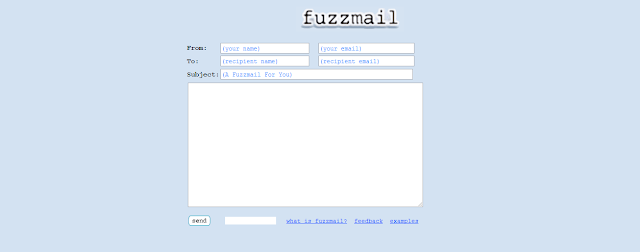
How can one send fake e-mails?

Where can one get proxy sites?

How to download Google books?

1) Using Google Books Downloader

You can download Google books by following these simple and easy steps.

  1. Download Google Books Downloader.
  2. Install the googlebooksetup.exe file.
  3. Run the application.
  4. Select Automatically download, if you want to download whole book otherwise select Manual Download if you want to download only a specific part of the book.
  5. Go to books.google.com, and copy the URL of the book you want to download.
  6. Paste the URL of the book you want to download. You can also surf using the application instead of copy-pasting the URL.
  7. Press download button, at the top-right corner of the application.
  8. Whole book will be saved in PDF format.
If you want the full cracked version of Google book downloaderhen you can get its torrent from here.
To learn downloading torrents using IDM, you may read this article.
After downloading the torrent, extract the files.
Install googlebooksetup.exe
Copy GoogleBooks file from the folder named crack and paste it to the installation folder, replacing the original file.
Now your Google books Downloader is cracked.

2) Without any tools (applicable for Windows XP only)

If you are using Windows XP, then you can download google books without any software or tool.
Just follow these steps.
  1. Open computer with admin privileges and launch your Internet Explorer.
  2. Now visit to the page in books.google.com that you want to download.
  3. Navigate to "C:\Documents and Settings\%admin_name%\Local Settings\temporary Internet Files\" of your computer machine and delete all of the contents of the folder.
  4. Browse the pages of the books that you want to download.
  5. Open "Temporary Internet Files" folder, Copy all PNG files.
    These are nothing but the scanned book.
  6. You can save or print the PNG files and arrange them in order for reading.

How to download Youtube videos? - 13 easiest and fastest methods

According to the YouTube policy, downloading videos from YouTube is not allowed.
In this article, we are going to discuss some easiest, fastest and greatest ways to download videos from YouTube. You can also use some of these methods to download videos from other webpages as well.


Method 1 : keepvid.com

All you need to do is just follow these simple steps.
1. Go to www.youtube.com
2. Click on the video you want to download
3. Copy the URL of that video.


4. Open another browser tab or window.
5. Go to www.keepvid.com